How Can I Find Out Which Active Directory Groups I’m a Member Of?
The ability to administer and maintain up-to-date user lists and groups is critical to the security of an organization. There are a number of different ways to determine which groups...


Key Takeaways
The ability to administer and maintain up-to-date user lists and groups is critical to the security of an organization.
Using the GUI
There are a number of different ways to determine which groups a user belongs to. First, you can take the GUI approach:
- Go to “Active Directory Users and Computers”.
- Click on “Users” or the folder that contains the user account.
- Right click on the user account and click “Properties.”
- Click “Member of” tab.
Using the Command Line
Not so fun clicking around, is it? How about some command line options?
- Open up a command promt (cmd.exe or PowerShell)
- Run:
gpresult /V
You’ll get output that looks like this (I’ve truncated it to only include the group info):
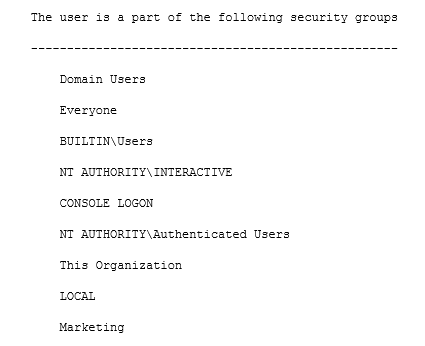
You could also run whoami /groups to get similar info. This command will also list distribution groups and nesting (i.e., if you’re in Group A which is itself a member of Group B, it’ll display Group B).
Not satisfied yet? Try net user [username] domain as yet another option.
The Bigger Question
As you can see, there are plenty of ways to ascertain Active Directory group membership, manually and programmatically. But the question that almost always goes unanswered is: “What exactly does this group give access to?”
This is an especially tricky question to answer when you have poorly named groups, but even with pristine group names, mistakes are made and you’ll almost always find that groups give unwarranted access to data.